Skin 07 - Material Design
Overview
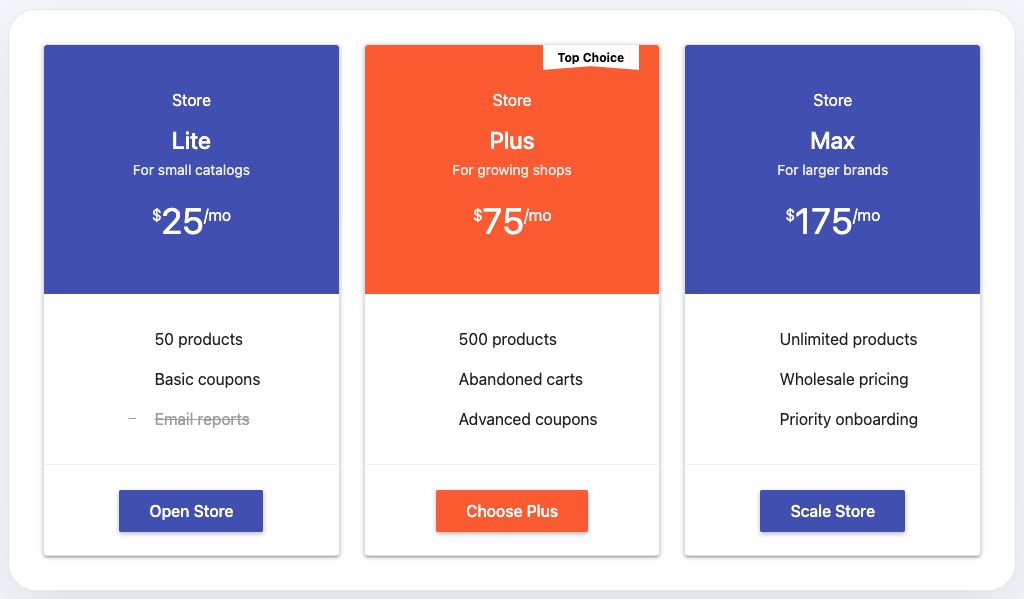
Skin 07, Material Design, has a structured, app-like, and polished presentation. It belongs to the Modern family and works best when the pricing section should feel intentional rather than generic.
Availability
Included in the free version of Fusion Pricing Tables.
Best for
- apps
- dashboards
- SaaS plans
- productized services
Design notes
- Material-inspired depth
- Strong button state
- Organized card spacing
- Modern UI rhythm
Suggested content style
Use short plan names, clear prices, and benefit-focused feature labels. This skin works best when each plan has a similar amount of content so the cards stay visually balanced.
Customization tips
- Use blue or purple accents
- Keep plan names practical
- Use clean icons
- Pair with modern sans-serif typography
Elementor setup
- Add the Pricing Plans widget.
- Open the Pricing Plans section.
- Set Choose Skin to 7 - Material Design.
- Update plan titles, prices, features, badge text, and button links.
- Use the Style tab to match colors, spacing, typography, borders, and buttons to your brand.